A cybersecurity dashboard designed to help security teams detect and respond to critical threats faster and with more clarity.
The problem
The Growing Cybersecurity Challenge Cybersecurity threats are evolving rapidly, making it difficult for organizations to keep up. Many companies face challenges such as:
Slow Threat Detection Traditional tools identify threats only after damage is done.
Multiple Niche Security Tools Juggling multiple systems causes blind spots and missed connections.
Even with the right tools, security teams struggle to work efficiently:
Too Much Noise Dashboards are overloaded, making it hard to prioritize
High Learning Curve Complex interfaces slow down onboarding and decision-making.
Who is the user?
Primary user:
SOC Manager – monitors threats and makes quick, informed decisions.
Small Business Owners – need simple, automated protection without a security team
Secondary users:
Security Analysts – investigate incidents
IT Staff – assist with remediation
Compliance Officers – review reports and ensure policy alignment
To better understand the needs of security professionals, I created and distributed a questionnaire targeting users. The goal was to identify pain points in their current workflows, especially around alert prioritization and usability.
63%
of users aren’t sure how to respond to security alerts
82%
want the system to recommend actions
58%
say current tools are too technical or confusing
76%
prefer visual alerts to understand risks quickly
Emma, Small Business Owner, needs a simple and affordable security solution with automation — she struggles without a security team and fears data getting exposed, which could damage customer trust.
Alex, IT Security Analyst, needs DarkSentinel to gain real-time visibility and flexible control — he currently struggles with complex workflows that delay his response to threats.
The platform supports both advanced security teams and non-technical users, addressing different needs while keeping the interface clear and focused.
The Solution
An AI-powered, user-friendly platform designed to detect, prioritize, and respond to threats automatically, quickly and with clarity. All with an intuitive UI designed to reduce noise, not add to it.
The ultimate objective was to turn complexity into clarity – helping users focus on what matters, take action quickly, and stay ahead of evolving threats.
AI-Powered Threat Detection – Predicts threats before they cause damage.
Intuitive User Experience – Designed for efficiency and ease of use.
Integrated Dashboard – Combines all security data into a single, actionable view.
User Flow
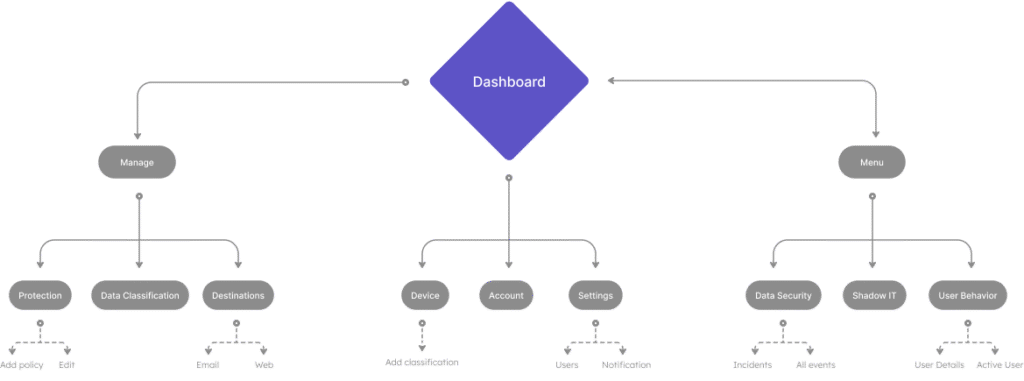
Users begin with a clear overview dashboard, then drill into alerts to view risk levels, affected systems, and take action. The flow is designed to reduce steps and cognitive load, enabling fast, informed decisions under pressure.
Ideation
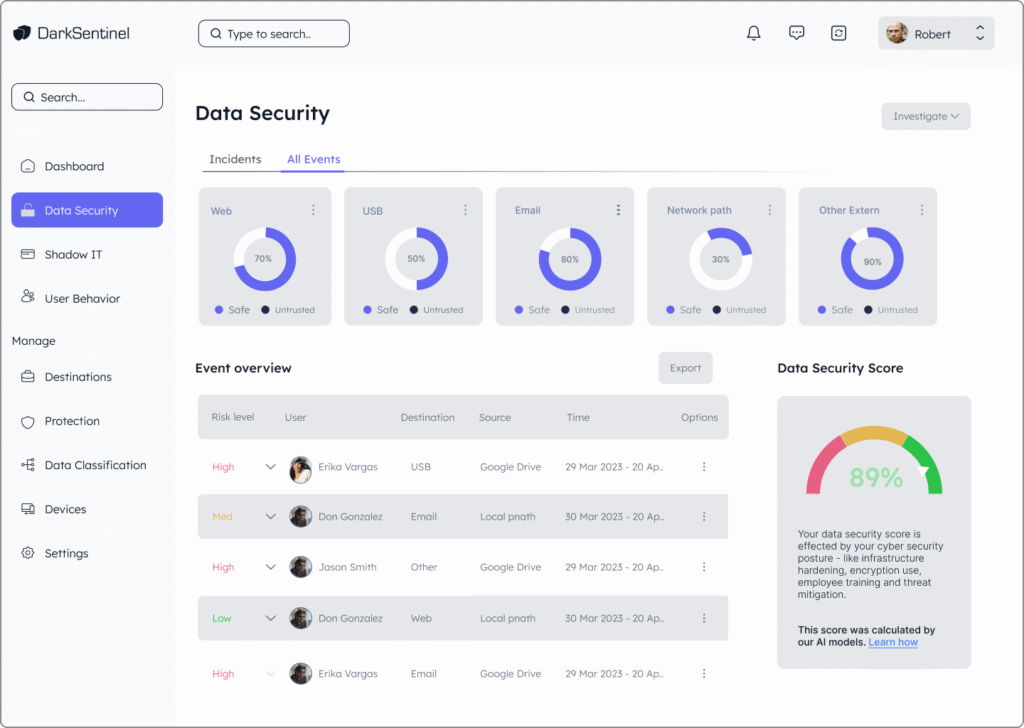
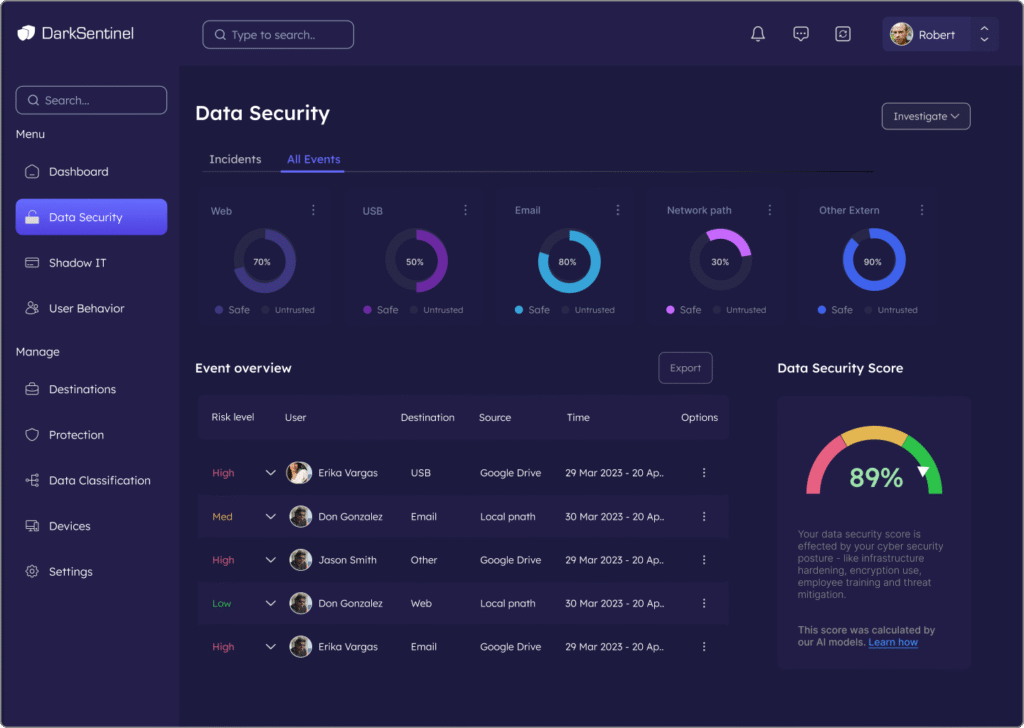
At first, I explored a light UI, but after testing and considering the user’s needs—like long work hours and the importance of clear alerts—I switched to dark mode.
It reduces eye strain and makes critical alerts stand out — a better fit for cybersecurity needs.
Dashboard
High-level snapshot of threats, risks, and user trends. Displays KPIs with visualizations for fast, informed decisions.
data security - all events
A clear log of all security events, with timestamps, severity, and affected systems. Includes AI-powered suggestions for fast risk mitigation.
data security - all events
A clear log of all security events, with timestamps, severity, and affected systems. Includes AI-powered suggestions for fast risk mitigation.
data security - Incident Management
Streamlined interface for tracking, assigning, and resolving incidents. Supports automated workflows and improves team accountability.
Shadow IT
Detects unauthorized apps and tools used within the organization. Helps enforce IT policies and protect sensitive data from unapproved access.
Shadow IT
Detects unauthorized apps and tools used within the organization. Helps enforce IT policies and protect sensitive data from unapproved access.
User Behavior
Tracks login patterns, file access, and unusual activity. Uses machine learning to detect anomalies and uncover insider threats.
more screens
Usability Testing & Feedback
After testing the first version with users, I noticed that many of them didn’t notice urgent alerts or misunderstood their priority. To solve this, I improved the color contrast and added a clear, attention-grabbing icon next to
These changes made critical alerts more visible — helping users react faster, with more clarity and confidence during stressful situations.
Design Principles
Clarity, speed, and ease under pressure
Dark Theme
Reduces eye strain during long shifts; familiar to cybersecurity professionals
Visual focus
Alerts and threat indicators stand out, while the rest of the interface remains discreet
Minimalist layout
Clear hierarchy, with key actions always visible
Cognitive clarity
Every element has a clear purpose – no visual noise
Visuals that support decisions
Color System
The palette ensures that high-risk items stand out, while the overall interface remains clean and calm
Typography
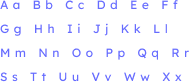
Lexend – a screen-friendly font that’s easy to read and reduces eye strain
Iconography
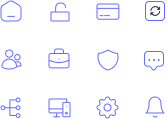
Minimalist, consistent, and intuitive. Ensures alert symbols are easy to recognize without adding visual clutter